In this guide you will learn how to add configurable inputs to devices in Leanheat® Monitor.
Inputs on the ECL296/310 that are not used by the application can be used as extra configurable inputs (Pt1000, 0-10V, digital).
To add a configurable input navigate to the "Devices" tab and select a device to add a configurable input to. Above the flow diagram click "Options" which is the first tab from right to left. In the drop-down menu select "Configurable Inputs" and click "New Configurable Input". Enter the name of the new input and select the sensor (where the input is wired to) and select the "Type". If needed, select additional "Options". In the next step select the unit and click "Save".
Readouts for the configurable input are being stored from the moment the input was added in Leanheat® Monitor. You can view the historic values for the input in "Readings" and "Graphs" tab.
To add the configurable input to the device flow diagram contact your local support.
Configurable input types
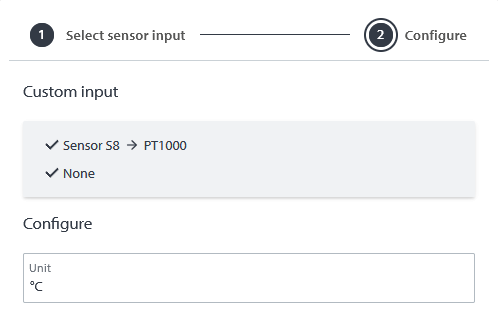
PT1000
This input type is used to add PT1000 sensors as configurable inputs to the ECL. When selecting a PT1000 input there is nothing more to configure in the second step of the configurable input creation.
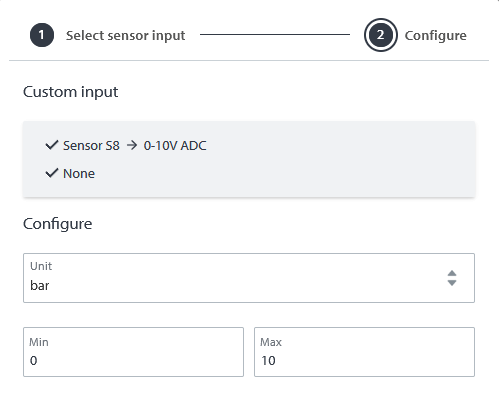
0-10V ADC
This input type is used to a add 0-10V sensor as a configurable input to the ECL. When adding a 0-10V ADC configurable input it is necessary to select the unit as well as the minimum and maximum value of the sensor in the second step of the creation process.
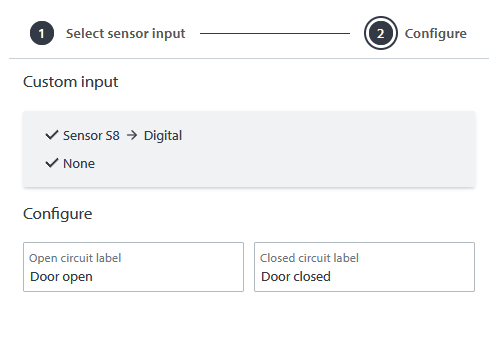
Digital
This input type is used to add a digital input as a configurable input e.g. pump alarm, switch, etc. to the ECL. When adding a digital configurable input it is necessary to enter the closed and open circuit labels. Open and closed circuit labels is the text which will be displayed in "Readings" and "Graphs" for when the circuit is closed or open instead of displaying "0" and "1" e.g. "door closed" and "door open".
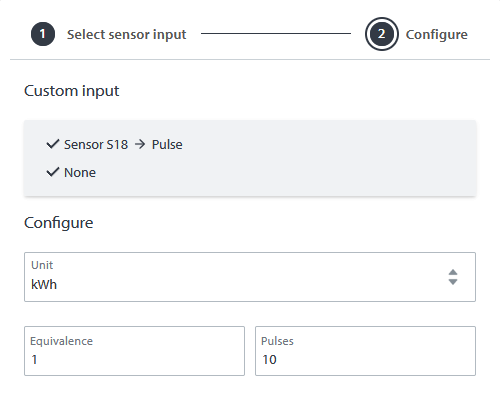
Pulse
This input type is used to connect the pulse output of an energy meter to the ECL. When adding a pulse configurable input it is necessary to select the unit as well as enter the equivalence and pulses. For example if equivalence" is "1" and pulses is "10" and the selected unit is "kWh" this means that 10 pulses will equal 1 kWh of energy.
Frequency
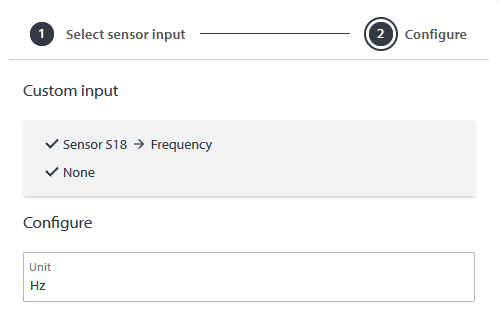
This input type is used to add a frequency input as a configurable input to the ECL. When selecting a frequency input there is nothing more to configure in the second step of the configurable input creation.
Flow switch
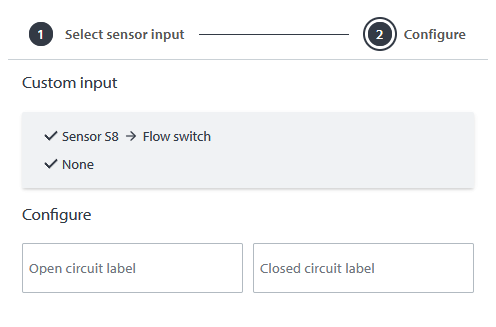
This input type is used to add a flow switch as a configurable to the ECL. When adding a flow switch configurable input it is necessary to enter the closed and open circuit labels. Open and closed circuit labels is the text which will be displayed in "Readings" and "Graphs" for when the circuit is closed or open instead of displaying "0" and "1" e.g. "door closed" and "door open".
Configurable input options
Pull up - The input will read a high state (1) when the circuit is open and a low state (0) when the circuit is closed.
Cap load - Cap load enables a capacitor load. This is used to keep the mechanical contact points clean.
Pull up & Cap load - The input will read a high state (1) when the circuit is open and a low state (0) when the circuit is closed. Cap load enables a capacitor load. This is used to keep the mechanical contact points clean.
For more details, please check the video below:
Comments
0 comments
Please sign in to leave a comment.